
380 LUTs · iPhone · Sony · Blackmagic
Your iPhone,
now a cinema camera.
380 cinematic looks for your iPhone videos and photos, and for your Log camera too. Drag, drop, done.
 Final Cut Pro
 DaVinci Resolve
 Premiere Pro
 CapCut
 Photoshop
Pay once. No subscription.
- 380 LUTs in 21 creative styles
- Rec.709 looks for everyday iPhone video
- Log LUTs for Sony SLog2, SLog3 & RAW
- Universal .cube files · lifetime access
The problem
Flat footage?
Fixed in one drag.
Video straight from the phone often looks dull, and Log footage comes out grey on purpose. Both are raw material waiting for color. A LUT is the fastest way to turn them into a finished, cinematic image.
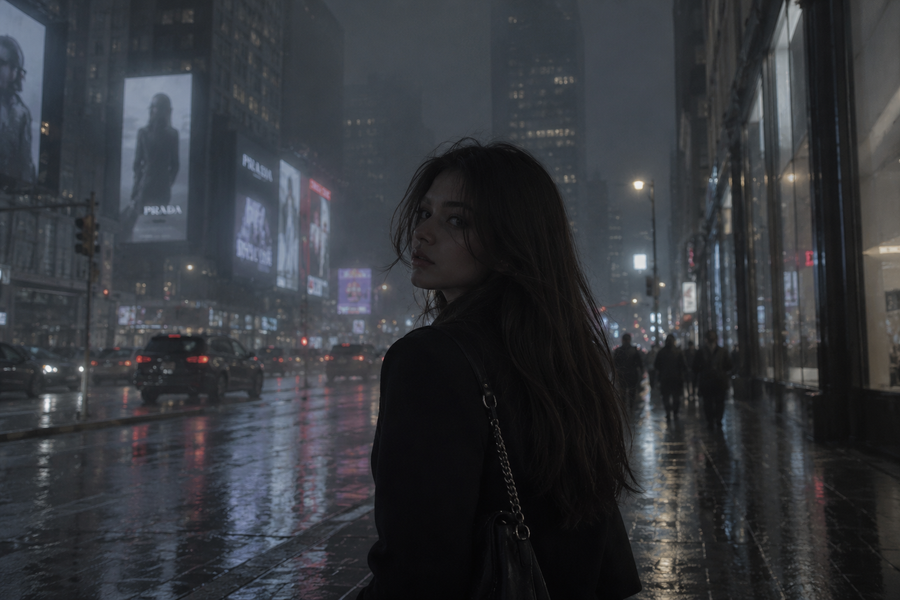

The looks
Drag to see the difference.

 BeforeAfter
More looks
One pack.
Every mood.

 BeforeAfter

 BeforeAfter
What’s inside
380 LUTs.
Neatly organized.
Creative looks
21 styles for any mood, ready on standard iPhone footage and photos.
Sony SLog
48 for SLog3, 11 for SLog2.
Standard Rec.709
For normal video, no Log needed.
Drone, GoPro & more
Sunset, desert, underwater, blue hour.
RAW
For RAW footage and photos.
Premium Cine
Moody greens, deep teals, warm tones.
Sony conversion
SLog to Rec.709 base LUTs.
What you get
Less time grading.
More time creating.
Cinema color in one drag
Drop a LUT on your clip and get a finished look instantly. No color wheels, no curves.
Looks for every mood
Warm, moody, clean, filmic. Pick the one that fits the story and keep your feed consistent.
For every camera
iPhone, Sony SLog, Blackmagic RAW, GoPro and drone footage: there’s a folder for each.
One file, every editor
Standard .cube files work in Final Cut, DaVinci, Premiere, CapCut and Photoshop.
The deal
€60,00 75% off
Pay once. Download now. Keep it forever.
Which LUT do I use?
Pick the folder for your footage.
Normal iPhone video
Use the creative styles and Standard Rec.709 LUTs. They’re made for footage that already has normal contrast.
Sony SLog2 & SLog3
Use the SLog folders directly, or apply a Sony conversion LUT first and then a creative look on top.
RAW & Blackmagic
Use the RAW folder. For Apple Log, convert to Rec.709 first, then add any creative look.
Installation
Up and running in a minute.
- Open the Effects browser and search for Custom LUT.
- Drag it onto your clip.
- In the Inspector, choose LUT › Choose Custom LUT and select a .cube file.
- Go to Project Settings › Color Management › Open LUT Folder.
- Copy the .cube files there, then click Update Lists.
- On the Color page, right click a node › LUT and pick your look.
- Open the Lumetri Color panel.
- Under Creative › Look, choose Browse.
- Select a .cube file and adjust Intensity.
- In CapCut desktop, select your clip and open Adjustment.
- Go to LUT › Import LUT and pick a .cube file.
- Apply it and adjust the strength.
- Add Layer › New Adjustment Layer › Color Lookup.
- Under 3DLUT File, choose Load 3D LUT.
- Select a .cube file and lower opacity to taste.
What’s inside
380 professional LUTs in 21 cinematic styles, made to give your footage and photos a film look in seconds.
What’s inside
- 205 creative looks for iPhone footage and photos
- 59 Sony SLog LUTs (48 SLog3, 11 SLog2)
- 37 Standard Rec.709 LUTs for normal video
- 38 Drone and GoPro LUTs: sunset, desert, underwater, blue hour
- 19 RAW LUTs
- 12 Premium Cine looks: moody greens, deep teals, warm tones
- 10 Sony conversion LUTs (SLog to Rec.709)
Styles: Cinematic, Epic, Teal & Orange, Dark Mood, Warm, Cool, Vintage, Sepia, Black & White, Low Light, Day for Night, Infrared, Street, Summer Fest, Terracota, Charisma, ProLook, London, New York, Helsinki, Istanbul.
Works with: Premiere Pro, Final Cut Pro, DaVinci Resolve, CapCut (desktop), Photoshop, LumaFusion, Blackmagic Camera and any app that supports .cube files.
No iPhone Pro needed. The creative looks work on regular video and photos from any iPhone. For Apple Log, convert to Rec.709 first, then add any look.
- Instant download, lifetime access
- Use in personal and commercial projects
- One time payment, no subscription
Questions? Answers.
Do I need an iPhone Pro?
No. The creative styles and Rec.709 LUTs work on regular iPhone video and photos from any model.
Does it work with Apple Log?
Yes, in two steps: convert Apple Log to Rec.709 first (for example with Apple’s own conversion LUT), then apply any creative look from the pack.
Which apps are supported?
Any app that imports .cube LUTs: Final Cut Pro, DaVinci Resolve, Premiere Pro, CapCut desktop, Photoshop, LumaFusion, Blackmagic Camera and more.
Can I use them on photos?
Yes, in Photoshop or any photo app that supports 3D LUTs.
How do I receive the files?
You get a download link right after checkout and by email.
Can I use them in client work?
Yes, you can use the LUTs in personal and commercial projects. Reselling or sharing the files is not allowed.
Your next edit
deserves better color.
- Lifetime access
- Single payment
- Instant download
€14,99 €60,00